Definitions
- TOTP (Time-based One-Time Password): A security algorithm used as part of two-factor authentication. Generates temporary, unique 6-digit codes that change every 30 seconds, via an Authenticator app.
- 2FA (Two-Factor Authentication): Requires both a password and an additional one-time code, to protect against account attacks.
- dot-totp: The Dotkernel package that integrates the TOTP mechanism into Dotkernel applications.
- Recovery codes: Single-use backup codes generated during TOTP activation, usable for login when the mobile device is unavailable.
Key facts
| Fact | Value |
|---|---|
| Package | dotkernel/dot-totp |
| Install command | composer require dotkernel/dot-totp |
| Target application | Dotkernel Admin (applies similarly to any middleware-based application) |
| Code format | 6-digit numeric code |
| Code lifetime | 30 seconds |
| Recovery codes | Single-use each; must be saved in a secure location |
| Entity integration | TotpTrait applied to any entity requiring 2FA |
| New database columns | totpSecret, totp_enabled, recovery_codes |
| Official tutorial | https://docs.dotkernel.org/admin-documentation/v7/tutorials/install-dot-totp/ |
| Code examples | https://github.com/dotkernel/admin-documentation/tree/main/code_examples/totp |
2FA with TOTP: authentication flow
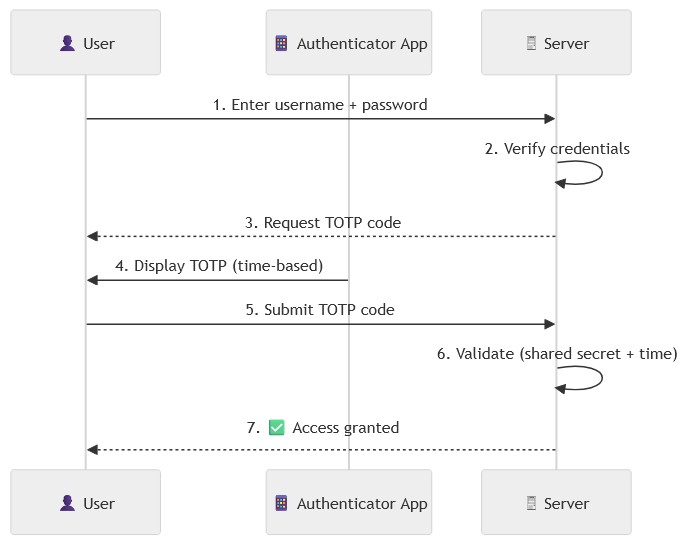
- User submits username and password (unchanged from standard login).
- Since TOTP is activated, the application also asks for the code from the user's Authenticator app.
- User submits the current 6-digit code, or alternatively a single-use recovery code.
- If the code is valid, the user is logged in.
Below is a simplified flow for the 2FA with TOTP mechanism.
Installation steps
Step 1 - Install the package
Prerequisite: a working Dotkernel Admin installation.
composer require dotkernel/dot-totp
Step 2 - Add the integration files
Following the Dotkernel file structure, add the files below (downloadable from the official code examples):
Forms:
Handlers (in src/Admin/src/Handler/Account/):
GetDisableTotpFormHandler.phpGetEnableTotpFormHandler.phpGetRecoveryFormHandler.phpGetTotpHandler.phpPostDisableTotpHandler.phpPostEnableTotpHandler.phpPostValidateRecoveryHandler.phpPostValidateTotpHandler.php
Templates:
Middleware:
Step 3 - Apply the entity trait and migrate the database
Apply the trait at src/Core/src/App/src/Entity/TotpTrait.php to any entity that requires 2FA, then migrate the new columns onto that entity's table: totpSecret, totp_enabled, and recovery_codes.
Step 4 - Register the remaining snippets
The _misc folder in the code examples contains four required additions:
| Snippet | Destination |
|---|---|
Enable/disable 2FA button (totp-append-view-account.html.twig) |
view-account.html.twig, or a new page |
Routes updates (totp-append-routes.php) |
src/Admin/src/RoutesDelegator.php |
Pipeline updates (totp-append-Pipeline.php) |
config/pipeline.php, after $app->pipe(AuthMiddleware::class); |
ConfigProvider updates (totp-append-ConfigProvider.php) |
src/Admin/src/ConfigProvider.php |
Using TOTP in Dotkernel Admin (end-user flow)
Enabling TOTP
- Navigate to the account profile (top-right image in Dotkernel Admin). A TOTP box with an "Enable TOTP" button is shown.

- Click "Enable TOTP". A QR code is displayed. An Authenticator app on a mobile device is required.
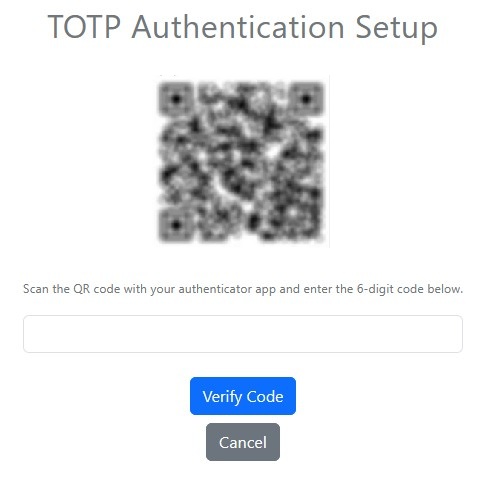
- Scan the QR code with the mobile device.
- Enter the 6-digit code generated by the Authenticator app. The code refreshes every 30 seconds.
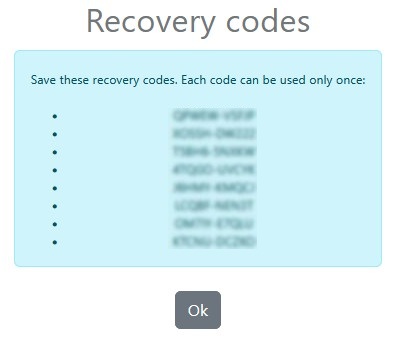
- Save the recovery codes shown during activation in a secure location - each is usable only once.
- If the code is valid, the user is logged in and TOTP is activated for the account.
Logging in with TOTP enabled
- Enter username and password as before.
- Submit the current code from the Authenticator app, or alternatively a recovery code.
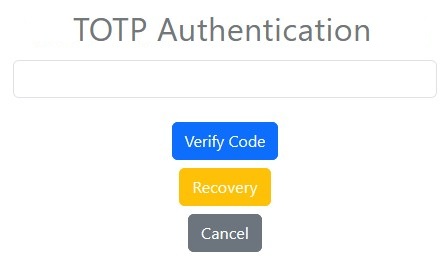
- On success, the user is logged in.
Frequently Asked Questions
What is a Time-based One-Time Password (TOTP)? +
A Time-based One-Time Password (TOTP) is a security algorithm used as part of two-factor authentication (2FA) that requires both a password and an additional one-time code generated by an Authenticator app. In Dotkernel, this is implemented through the dot-totp package.
Can dot-totp be used outside of Dotkernel Admin? +
Yes. Although this tutorial installs dot-totp in Dotkernel Admin, the installation steps work similarly in any middleware-based PHP application.
What happens if I lose access to my authenticator app? +
You can log in using one of the recovery codes generated when you activated TOTP. Each recovery code is usable only once, so make sure to save them in a secure location.
How often does the TOTP code change? +
The code generated by your Authenticator app refreshes every 30 seconds.
What database changes are required to support dot-totp? +
You need to migrate three new columns onto the entity that uses the TotpTrait: totpSecret, totp_enabled, and recovery_codes.